
Recent post widget is a widget which shows a collection of the recent published articles in a blog sidebar. We can add this widget in the different types such as recent post with thumbnails, simple and gallery etc. This widget has many benefits for a blog, but this especially helping your blog regular readers, they can easily find the latest post on your blog. It will also help to increase the blog’s page views and visitors will spend more time on your blog as well as it helps to reduce the log’s bounce rate. As we know the bounce rate is an important factor in the “seo” point of view. This widget not available in blogger by default, you need to add through the third party coding, but every blogger doesn’t know the programming languages like “css, html, javascript” but good news for those guys! In this post, i am going to share with you a collection of recent post widgets and you don’t need to write single coding.
6 Stylish recent post widgets design for blogger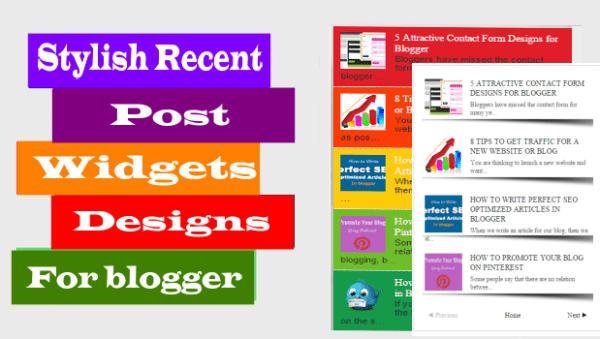
1. Recent posts with page navigation
 |
This is very amazing widget and beautiful design. It will display the latest post with image thumbnails in your blog’s sidebar. I suggest you to install the widget on your blog because it will allow your visitors to see the wide list of latest posts with the help of its page navigation and also has responsive and “seo” friendly design.
HERE IS THE CODE
2. Slider recent post

This is very cool and stylish widget which increase your blog look. This widget will collect your latest posts and it will show a slideshow. Which will attract the visitor’s attention and you will notice the increase in your blog page views dramatically. For better result I will suggest you install this widget just below the header
HERE IS THE CODE
3. Gallery recent post
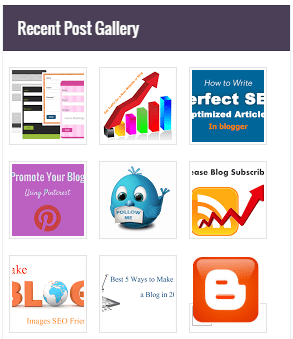
Do you want to create a gallery in your blog? Then install this widget, which will create a beautiful gallery in your blog sidebar from recently published posts with attractive “css” effects. With the help of this can get visitors attention and your blog will get more pageviews.
HERE IS THE CODE
4. Recent post without thumbnails

The above all widgets will display thumbnails. Which will increase the load time time of your blog. If you don’t want to make your blog too heavy then install this one. This is a simple widget which will only display the latest article titles only.
HERE IS THE CODE
5. Recent post widget by label
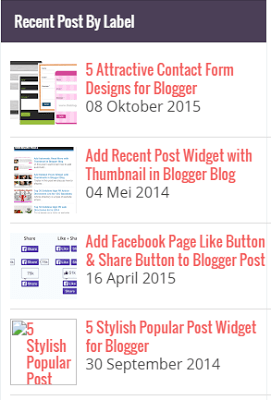
The above all widget shows all latest posts in the blog. If you want to display the particular label post in you blog sidebar then add the code below to your blog.
HERE IS THE CODE
6. Colorful latest post widget
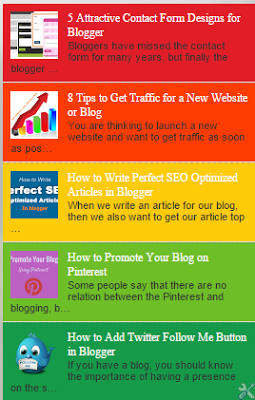
If you like to add a colorful latest posts widget, then install this one. This is an amazing widget which will show a collection of the latest articles in your blog sidebar with beautiful five different colors, which will attract the visitor’s attention.
HERE IS THE CODE
How to create recent post widget in your blog
1. First of all, choose your favorite widget from the above then click on “here is the code” button and copy all the code from the appearing pop up window.
2. Login your blogger account
3. Go to layout and add new gadget.
4. Select “HTML/JAVASCRIPT” and paste all code there.
5. Save the gadget.
Settings
blogURL Fill with your blog
var numPosts Fill with the number of post you want to display
var showpostthumbnail Select true if you want image thumbnail and false if you don’t want
var showpostdate Select true if you want show date and false if you don’t want
I hope that all above widget will be working on your blog. These widgets are tested and i also provide its demo which means its working properly. However, you are facing any roblem about the above recent widgets for blogger then place your comment in the comments box.
 NaijaSoft