
The reason for this post is because people asked me how to apply for AdSense with copyrighted post because most of them don’t always have time to type, so I use this opportunity to teach the world on how to do it, I’m quite sure many people are asking this question but no solution, so I come with solution the problem.
Does your blog have copyrighted content and you want to apply for AdSense? Or you have already applied for AdSense and it says “copyrighted content”
According to Google AdSense copyright policy
“Copyrighted content
Unauthorized sites or software that capture, copy, or provide access to copyrighted content
Examples: Sites, software, or toolbars that enable unauthorized streaming, sharing, copying, or downloading of audio guides, e-books, anime, games, movies, mp3 ringtones, music, software, TV shows, works by independent artists, record labels, or other content creators
Sites or apps that facilitate unauthorized offline distribution of copyrighted content
Examples: Sites that distribute unauthorized physical copies of copyrighted CDs, DVDs, or software
Software, sites, or tools that remove digital rights management (DRM) technology from copyrighted material or otherwise circumvent copyright (irrespective of whether the intended use is legitimate or not)
Examples: Products or services (such as Blu-ray or DVD rippers, burners, and converters) that provide access to copyrighted content by stripping or bypassing DRM technology on audio, video, e-books, or software
Copyrighted material
AdSense publishers may not display Google ads on pages with content protected by copyright law unless they have the necessary legal rights to display that content. This includes pages that display copyrighted material, pages hosting copyrighted files, or pages that provide links driving traffic to pages that contain copyrighted material.
What happens if you violate our policies
Ad or extension disapproval: Ads and extensions that don’t follow this policy may be disapproved. A disapproved ad won’t run until the policy violation is fixed and the ad is approved.
Site suspension: We may suspend websites that violate our policies, meaning that the website can no longer be advertised until the problem is fixed.
Account suspension: An account may be suspended if you have several violations or a serious violation. If this happens, all ads in the suspended account will stop running, and we may no longer accept advertising from you. Any related accounts may also be permanently suspended and your new accounts may be automatically suspended at setup. Learn more about suspended accounts.”
Yes we all know about the policy and we are also aware of the punishment but they are some post we see in another blog or site that intrigue us and we want it in our blog too.
Here I am going to show you how to copy and paste post in your blog without Google knowing it is copyright
You log on to a site and you love a post there and you want to copy and paste it in your blog or most times you search in Google for post to add in your blog but after you copy and paste it, you apply for AdSense and it says “copyrighted content”.
Here is how to fix it
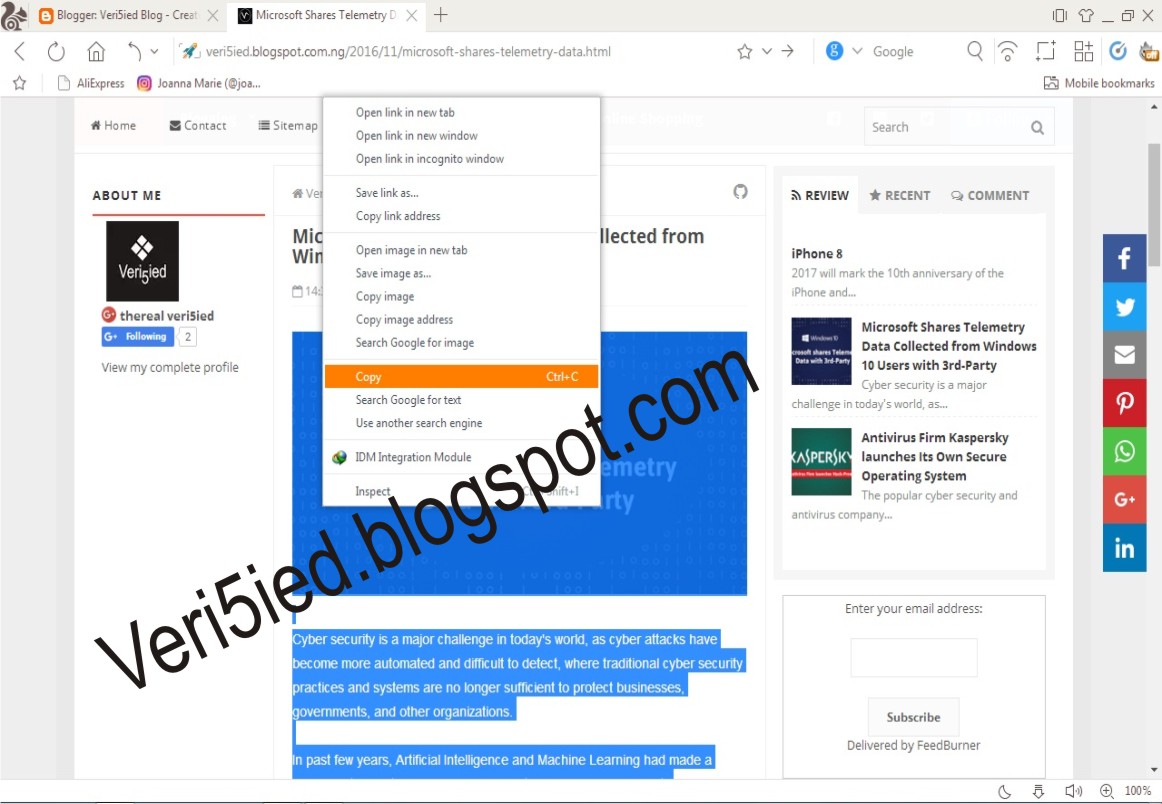
First you copy your content (i.e. the post) as shown in the image below
Then you paste it, after pasting it you select all by pressing (ctrl + A) or you right click and click on select all. Once you have select all click on the icon Tx, it is use to remove format, So therefore it removes every format in the post and makes your post looks like you are the author.
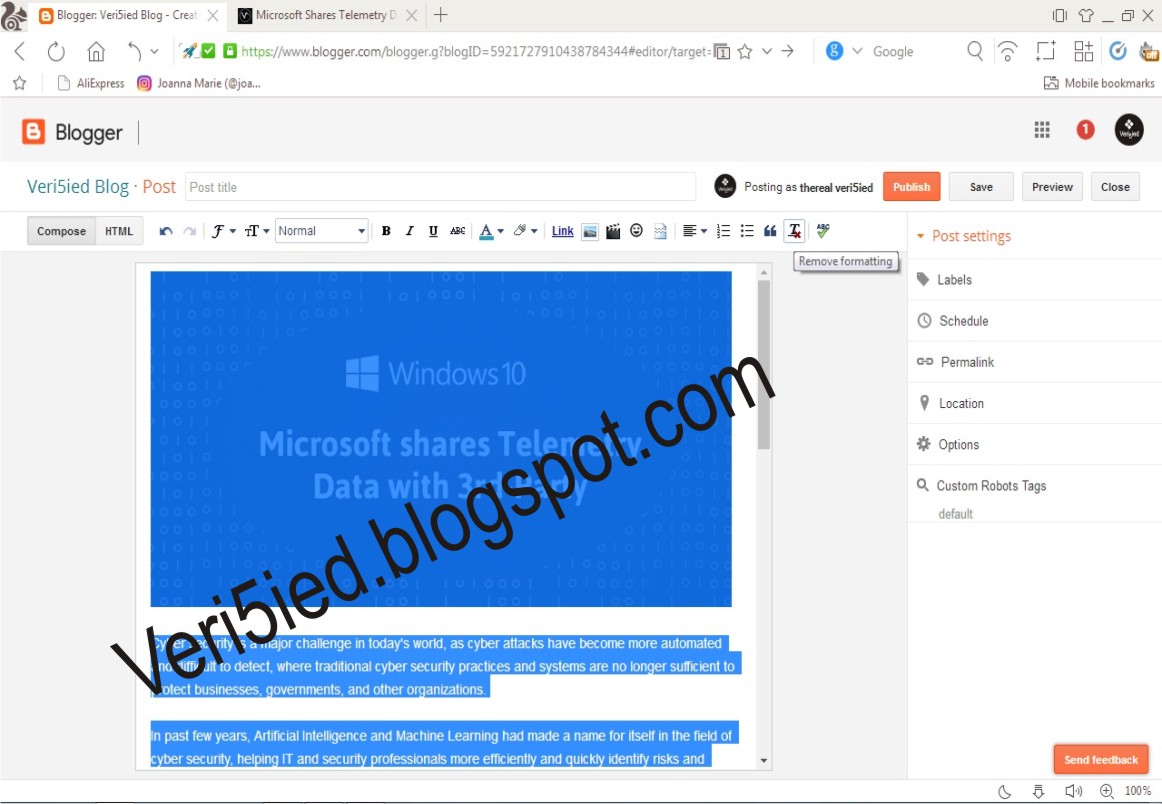
Once you’ve done this, you can change the font of the post to your taste while the post is on select all…
Please comment below if you are OK and if you have any question.
 NaijaSoft